

Comparison
FileHey or ChatGPT for letters
You can also show a letter to a general AI assistant. Here you can read when that is enough and what FileHey does differently.
-
When ChatGPT is enough
You like to word things yourself, and it is about a single letter. Then a general assistant can be enough.
-
Where FileHey is different
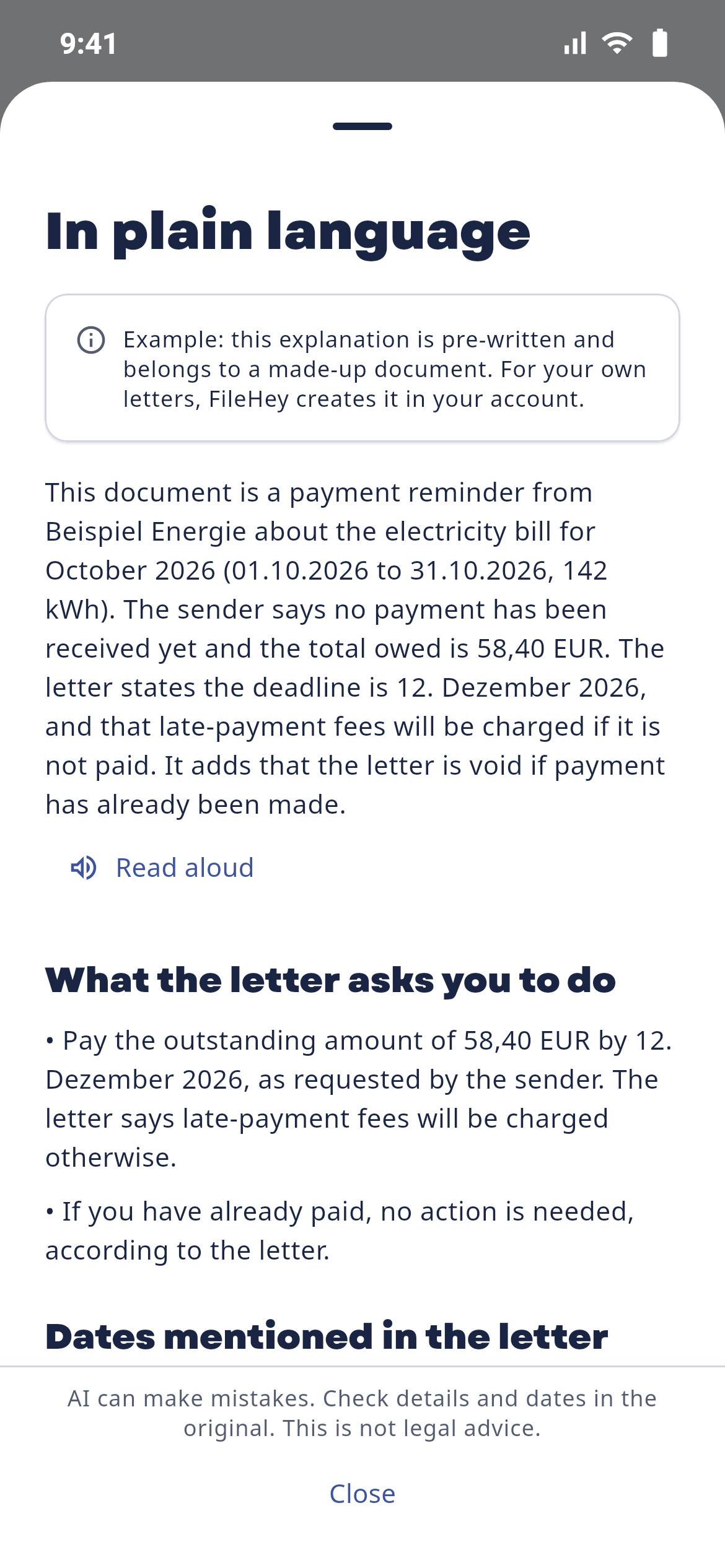
One tap instead of a prompt, the deadline as a quote from the letter, reminder and calendar file, storage with search, app in 11 languages.
-
What both have in common
Both are AI and can make mistakes. For deadlines and amounts, the original counts.
-
What FileHey cannot do
You cannot ask FileHey follow-up questions. It explains a letter and files it. A general assistant is more open-ended.
When a general AI assistant is enough
A general assistant such as ChatGPT can read files. According to the OpenAI help pages, ChatGPT can analyse “text and images in PDFs”, and images can be uploaded as PNG or JPEG. If you want to understand a letter once, you can upload it there and ask. That is often enough if you:
- rarely get post,
- like to word what you want to know yourself,
- do not need storage or search,
- take care of a reminder yourself.
Where FileHey is different
| General assistant (ChatGPT) | FileHey | |
|---|---|---|
| Purpose | general, you word the question | only for letters and paperwork |
| Storage and search | see the provider | all letters in one place, with title and category as a suggestion, search over the recognised text |
| Deadline | depends on your question and the answer | shown as a quote from the letter, with the page |
| Reminder | according to OpenAI, scheduled tasks can handle “reminders” | reminder for a deadline in the app for Android and iPhone, plus calendar file |
| Process | upload a file, word yourself what you want to know | photograph, tap “Explain” |
| Languages of the interface | see the provider | app in 11 languages |
| Follow-up questions | see the provider | no |
The FileHey column describes how the app is built. For ChatGPT we only state what OpenAI itself writes (sources below). Where it says “see the provider”, we have not checked it.
Data
With ChatGPT, how your conversations are handled depends on your settings. According to OpenAI, “data sharing” is switched on by default for personal accounts with Free, Plus or Pro. You can switch it off in the settings. For letters with health or financial data, read carefully what you are releasing.
With FileHey, the recognised text of a letter only goes to the AI with your consent: for the explanation when you request one for that letter, and for naming and categorising when you file it (then the text of the first page). The text is not blacked out in the process. The processing runs through Anthropic in the USA. Under Anthropic’s commercial terms, the texts are not used to train models. Without consent, nothing goes to Anthropic. Everything else is on the page Security.
What applies to both
Both tools are AI. OpenAI itself writes: “Outputs may be inaccurate, untruthful, and otherwise misleading at times.” The same applies to FileHey. Check amounts, deadlines and steps in the original. Neither replaces legal advice.
Frequently asked questions
Can I ask follow-up questions with FileHey?
No. FileHey delivers one explanation per letter and language. A chat is not built in. If you want to ask something further, you need another route, for example an advice centre.
Is FileHey better than ChatGPT?
That cannot be said across the board. We have not compared the quality of the answers with ChatGPT. FileHey is tailored to letters, ChatGPT is general. Which is better for you depends on what you need.
What happens to my letters at FileHey?
The Security page describes where data is stored and what the AI sees. With your consent, the recognised text goes to the AI: for the explanation when you request one, and for naming and categorising when you file a document. It is not blacked out in the process.
Can I use both?
Yes. You can use FileHey for filing, reminders and the first explanation, and an assistant of your choice for other questions. Check each time which data you give to which service.
Sources
- OpenAI Help Center: File Uploads FAQretrieved on 22 November 2026
„ChatGPT can analyze both text and images in PDFs, including charts and diagrams.“
- OpenAI Help Center: Tasks in ChatGPTretrieved on 22 November 2026
„can handle reminders, recurring work, daily updates, and monitoring“
- OpenAI Help Center: Data Controls FAQretrieved on 22 November 2026
„On personal workspaces with ChatGPT Free, Plus, or Pro, data sharing is enabled by default.“
- OpenAI Help Center: What is ChatGPT?retrieved on 22 November 2026
„Outputs may be inaccurate, untruthful, and otherwise misleading at times.“


