

Searching
- Open the Documents list.
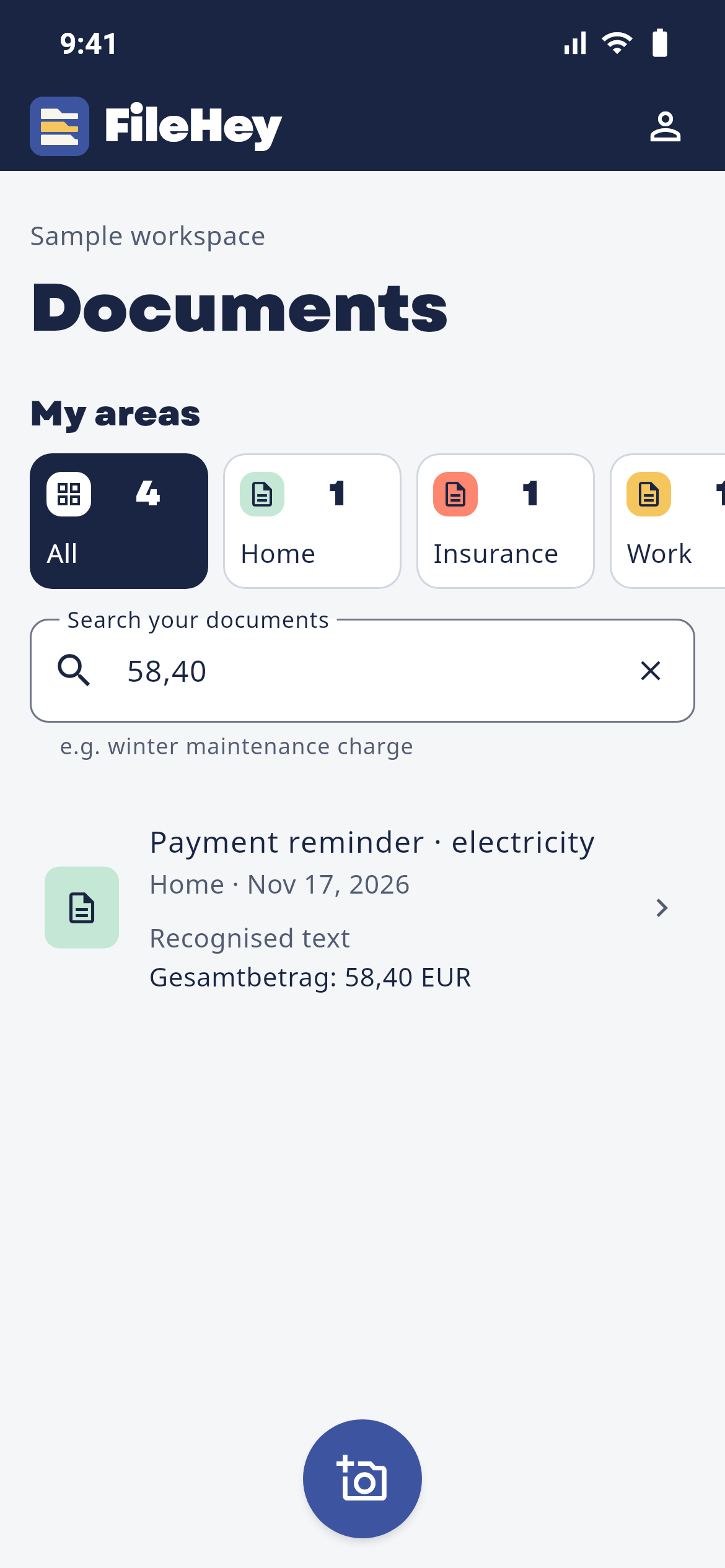
- In the field Search your documents, type a word from the letter, an amount or a file reference number (Aktenzeichen). The app suggests as an example: “e.g. winter maintenance charge”.
- For each result, the app shows the Matching passage: the recognised text with page, the document title or the file name. Tap the result to open the letter.
- With Clear search (the cross in the field) you end the search.
If the app finds nothing, it says “No matching documents.” and “Try another word or clear the category filter.”
Filtering by category
Tap Filter by category. You can choose between All documents, Home, Money, Insurance, Health, Work, Official letters and Other.
Folders
- Tap My folders and then Create folder.
- Enter a name under Folder name.
- Under Automatic filing you choose a category. New documents of this category then end up in the folder. With No rule the folder stays empty until you put something in it.
- You move a single letter into a folder in the letter itself with Move to folder. You go back with No folder.
- The number of folders is limited. Then the app says “You can create up to … folders.”
Changing name and category
Open the letter, tap More and then Edit document. Change Document name or Category and tap Save changes.
Deleting a document
Open the letter, tap More and then Delete. The app asks: “Delete this document?” The original and the recognised text are deleted from your active account. There are currently no backup copies, so a deleted document cannot be restored.
Frequently asked questions
I cannot find a letter even though the word is in it. Why?
Perhaps the text recognition read the word wrongly. Open the letter and compare the recognised text with the original. Also try another word from the letter.
What does “This search is too broad. Please be more specific.” mean?
The search request was too demanding for the service. Search more precisely, for example with an additional word.
Do my documents get lost if I delete a folder?
No. When you delete a folder, the app asks: “Delete this folder and its rule? Your documents will stay in the archive.” So the documents are kept.


