

Viewing the plans
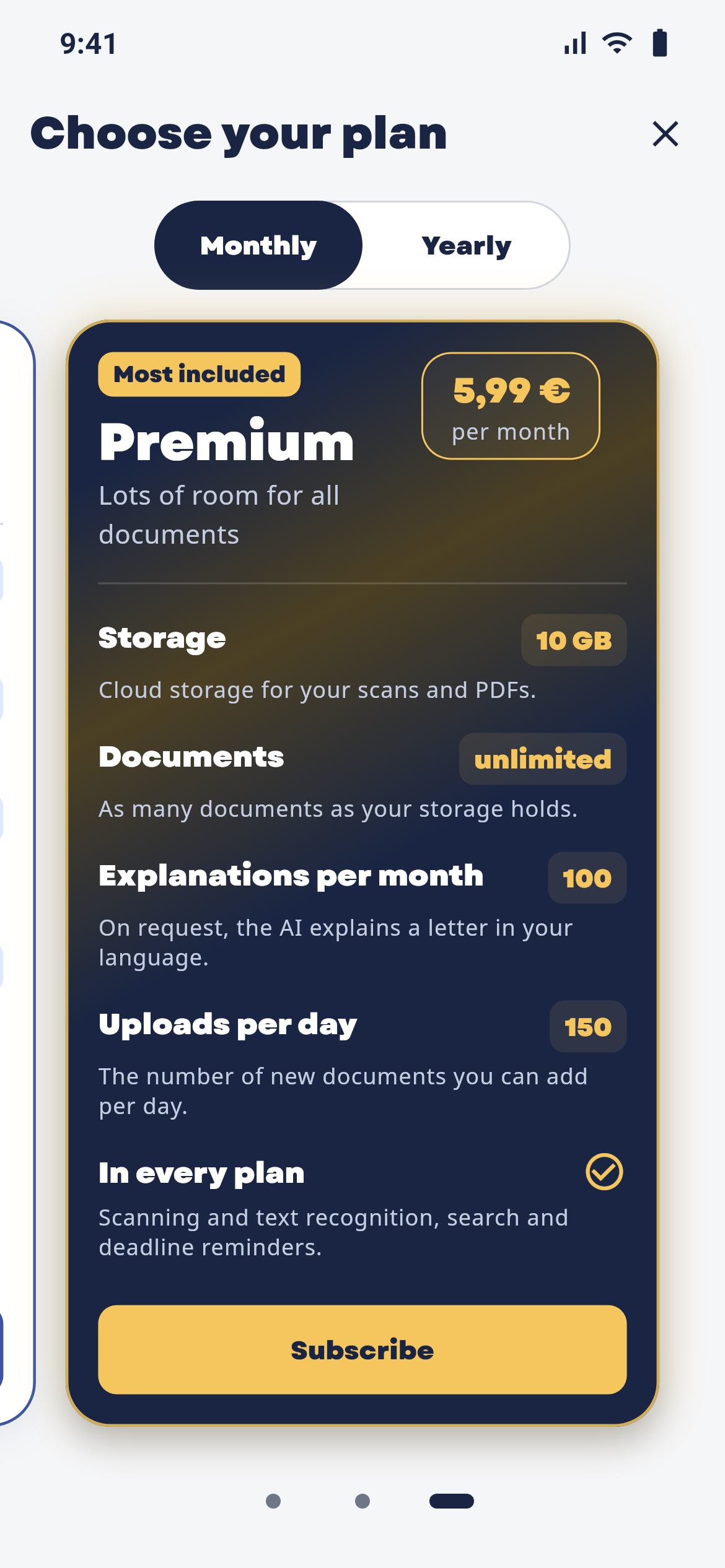
Tap Account at the bottom and then Choose your plan. You see Free, Plus and Premium with storage, explanations per month and uploads per day. For Free the number of documents is shown as well; for Plus and Premium only the storage counts. The prices and quantities are also on the page Prices. You see the quantities in the app after signing in.
Subscribing
- Open Choose your plan.
- For Plus or Premium, choose the price per month or per year.
- Tap Subscribe.
- Pay through your App Store or Google Play. The payment runs through your Apple or Google account.
- The app says: “Confirming your purchase… Your plan will be unlocked in a moment.” After that: “Thank you! Your plan is unlocked.”
Changing plan
If you already have a subscription, the button for the other offers is called Switch to this plan.
- If you switch to a higher plan, it applies immediately.
- If you switch to a lower plan, or only from monthly to yearly or the other way round, the change applies from the end of the current period. The app then says: “Your change is scheduled. It takes effect when the current period ends.”
Until then, your plan in the account does not change.
Cancelling
You cancel a subscription in the store, not with us.
- iPhone: in the App Store under Subscriptions, in the subscription settings of your Apple account.
- Android: in Google Play under “Payments & subscriptions”.
Under Choose your plan in the app, tap Manage subscription if the button is there. It opens the management in the store. The app then shows: “Your subscription ends on … and will not renew.”
If your subscription runs through the other store, the app shows: “Your subscription is billed through … Manage or change it there; you cannot take out a second one here.”
If the payment does not work
If there is a problem with the payment, the app says: “There is a problem with your payment. Update your payment method in the store so your subscription does not end.” You change that in the store.
Frequently asked questions
Can I take out a subscription in the browser?
No. You take out subscriptions in the FileHey app for iPhone or Android. In the browser you cannot buy anything. But your subscription also applies in the browser, because it is tied to your account.
How do I cancel?
Your subscription runs through the store in which you bought it. You cancel in the App Store under Subscriptions or in Google Play under “Payments & subscriptions”. The cancellation takes effect at the end of the paid period. In the app, “Manage subscription” takes you there.
Is my subscription cancelled if I delete the account?
No. End the subscription in the store first and delete the account afterwards.
I have bought, but my plan is not unlocked.
Then the app says: “Your purchase went through, but unlocking is taking a little longer. You do not need to buy again. Please check again shortly.” Tap Check now. Do not buy a second time.
I have a new phone. How do I get my subscription back?
Sign in with the same account and tap “Restore purchases” in the plan overview.


